Authentication
Mantis supports the OAuth 2.0 protocol for client and application access. Two grant types are implemented:
| Grant type | Use case |
|---|---|
| Authorization Code + PKCE | Interactive clients — web browser, Postman |
| Client Credentials | Non-interactive clients — CICD pipelines, server-to-server |
When your account is set up, Mantis will provide you with:
- Your subdomain (e.g.
<your-subdomain>.mantis-geophysics.io) - A Client ID for the relevant grant type
- A Client Secret (Client Credentials only)
Authorization Code with PKCE
This flow is used when a human must interactively authenticate. After the user enters their credentials, the authorization server issues an access token, a refresh token, and an ID token.
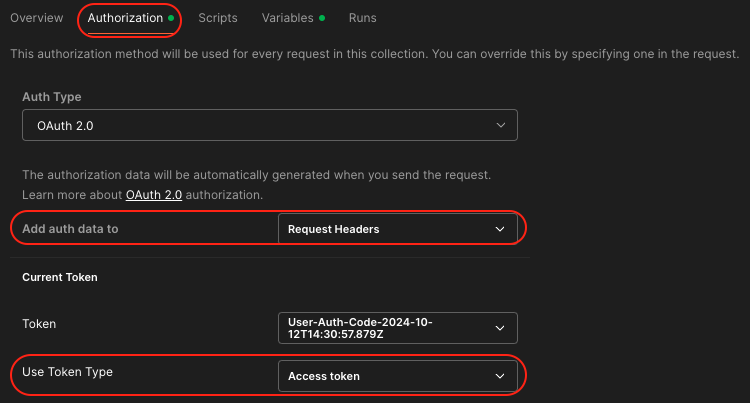
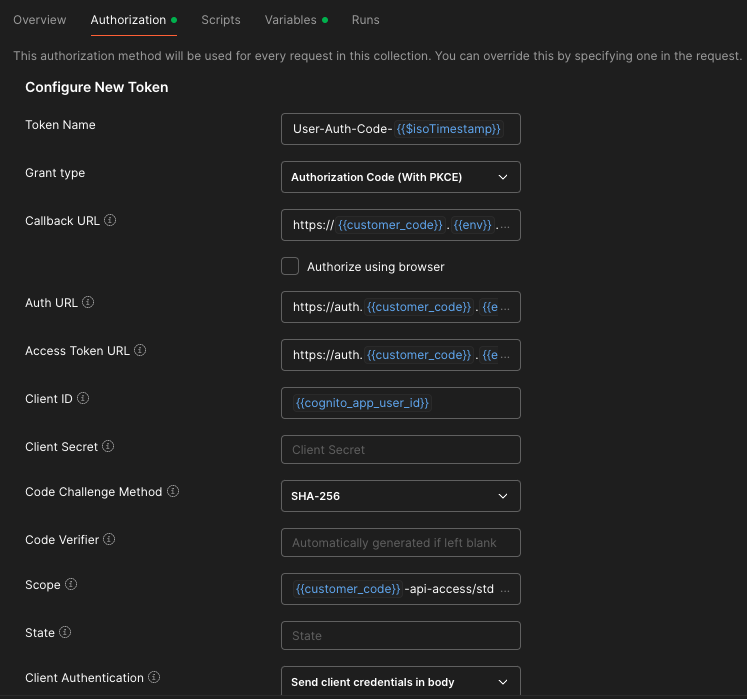
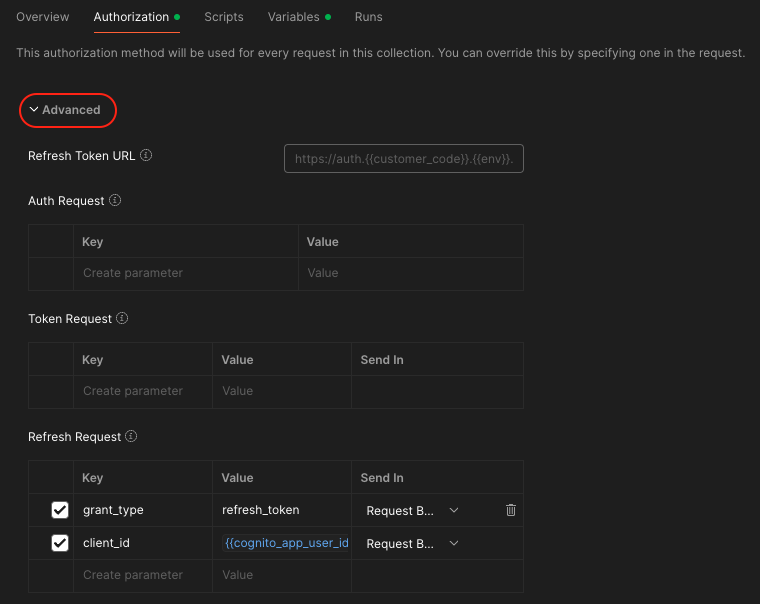
The Mantis web application uses this flow automatically. If you want to call the APIs interactively from a tool such as Postman or oauth2c, configure it as follows (substituting your own subdomain):
| Field | Value |
|---|---|
| Callback URL | https://<your-subdomain>.mantis-geophysics.io |
| Auth URL | https://auth.<your-subdomain>.mantis-geophysics.io/oauth2/authorize |
| Access Token URL | https://auth.<your-subdomain>.mantis-geophysics.io/oauth2/token |
| Client ID | Provided by Mantis |
| Scope | <your-subdomain>-api-access/std email openid profile |
Postman setup:
Client Credentials Grant
Use this flow when user interaction is not possible or desired — for example in a CICD pipeline or an automated script. Only an access token is returned (no refresh or ID token).
Warning
You are responsible for storing the client_secret securely. If it is ever exposed, contact Mantis immediately so it can be revoked.
The access token returned is a short-lived JWT. Include it in API requests as a Bearer token:
API Keys
API keys provide an alternative authentication mechanism for programmatic access. They are managed through the Mantis platform and can be scoped to specific usage plans.
To use an API key, include it in the request header:
Contact contact@mantis-geophysics.io to request an API key or to rotate an existing one.
Rate limiting
All API access is subject to rate limiting based on your usage plan. To view your current usage against your plan limits, open the Account menu in the navigation bar and click API Rate Usage.
Usage plans available:
| Plan | Description |
|---|---|
| Standard | Default plan for most customers |
| High | Elevated limits for high-throughput workloads |
| Low | Reduced limits for low-frequency access |
| Maintenance | Restricted access during maintenance windows |